# Teams & Sharepoint Web Component
{% hint style="warning" %}
**Attention:** The Blockbrain Team will provide you with your specific Sharepoint package, please provide the following information to you Contact.
* Which bot do you want to integrate?
{% endhint %}
## Key Steps
### **Step 1: Access SharePoint Admin Center**
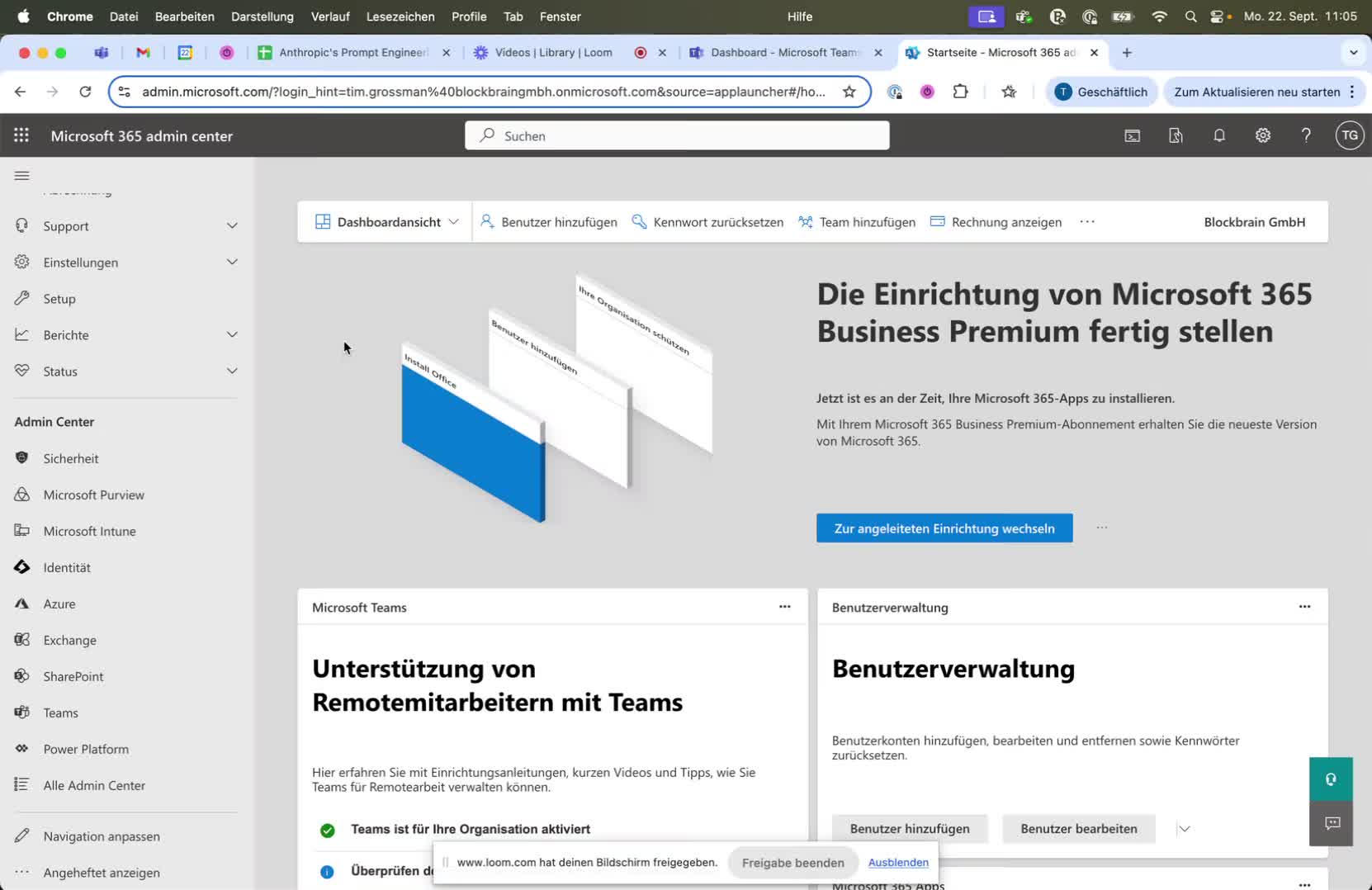
* Navigate to the Microsoft Admin Center.
* Select the SharePoint Admin Center to begin the app upload process.
### **Step 2: Manage Apps Section**
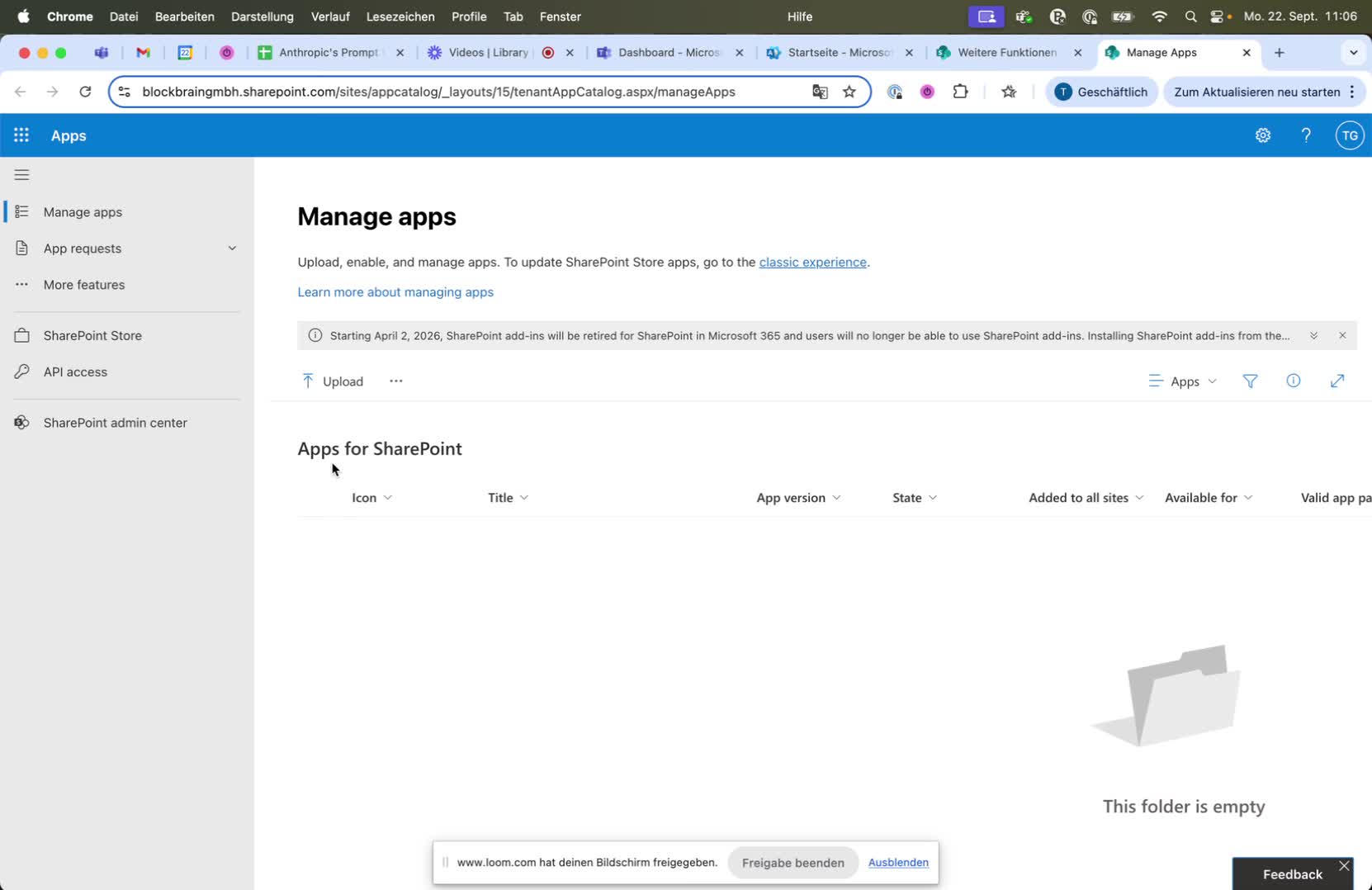
* In the SharePoint Admin Center, locate the 'Manage Apps' section.
* Click on the 'Upload' button to upload the SharePoint app.
### **Step 3: Upload the App**
* Ensure you have admin rights to upload the app.
* Upload the SharePoint app provided to you.
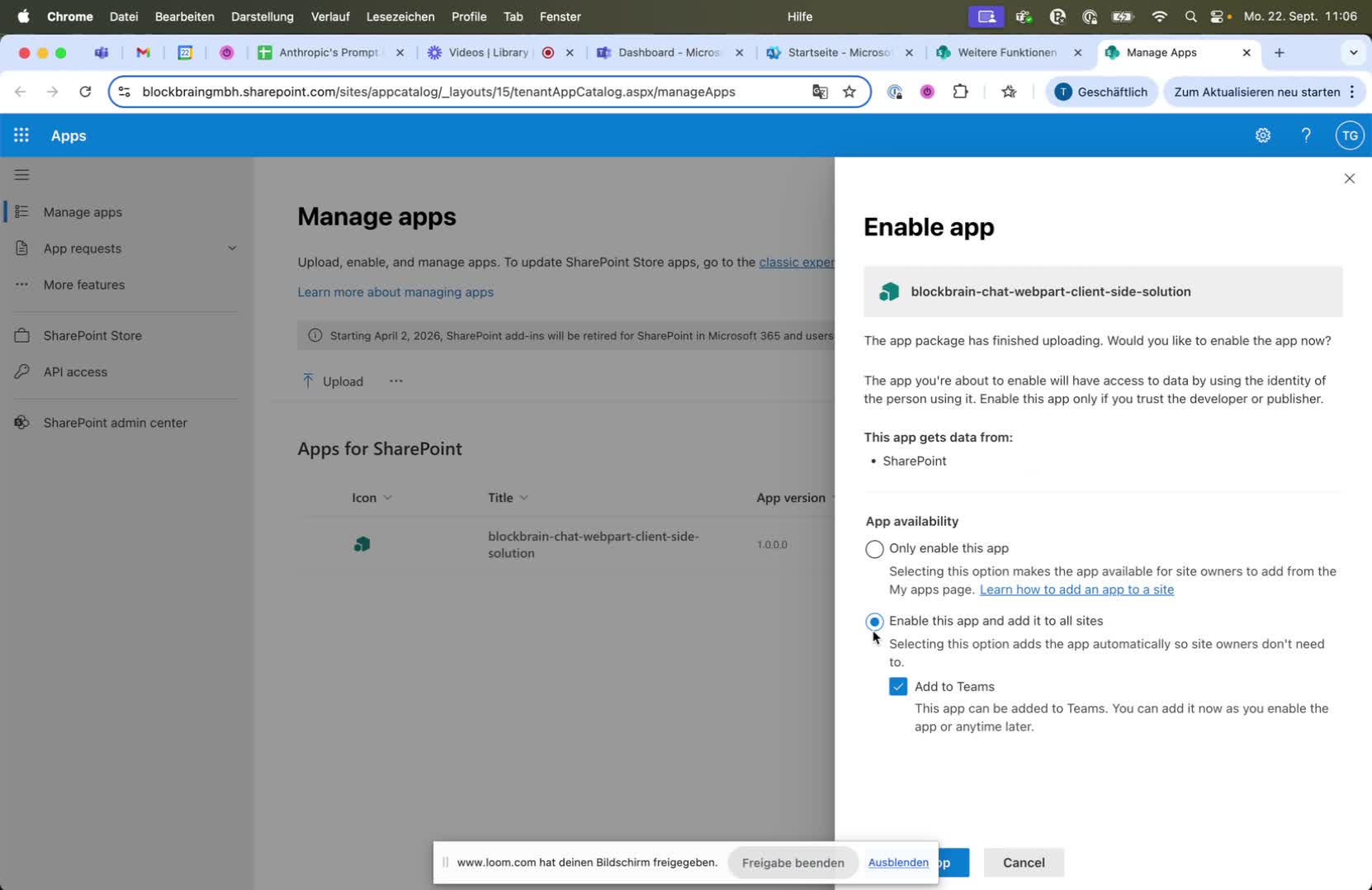
### **Step 4: Enable the App**
* Choose the default option to enable the app and add it to all SharePoint sites.
* Optionally, select 'Add to Teams' to make the app available in Teams.
{% hint style="warning" %}
Ensure you have the necessary admin rights for both SharePoint and Teams to perform these actions.
{% endhint %}
### **Step 5: Confirm App Availability**
* After uploading, confirm that the app is available for both SharePoint and Teams.
## Teams Webcomponent
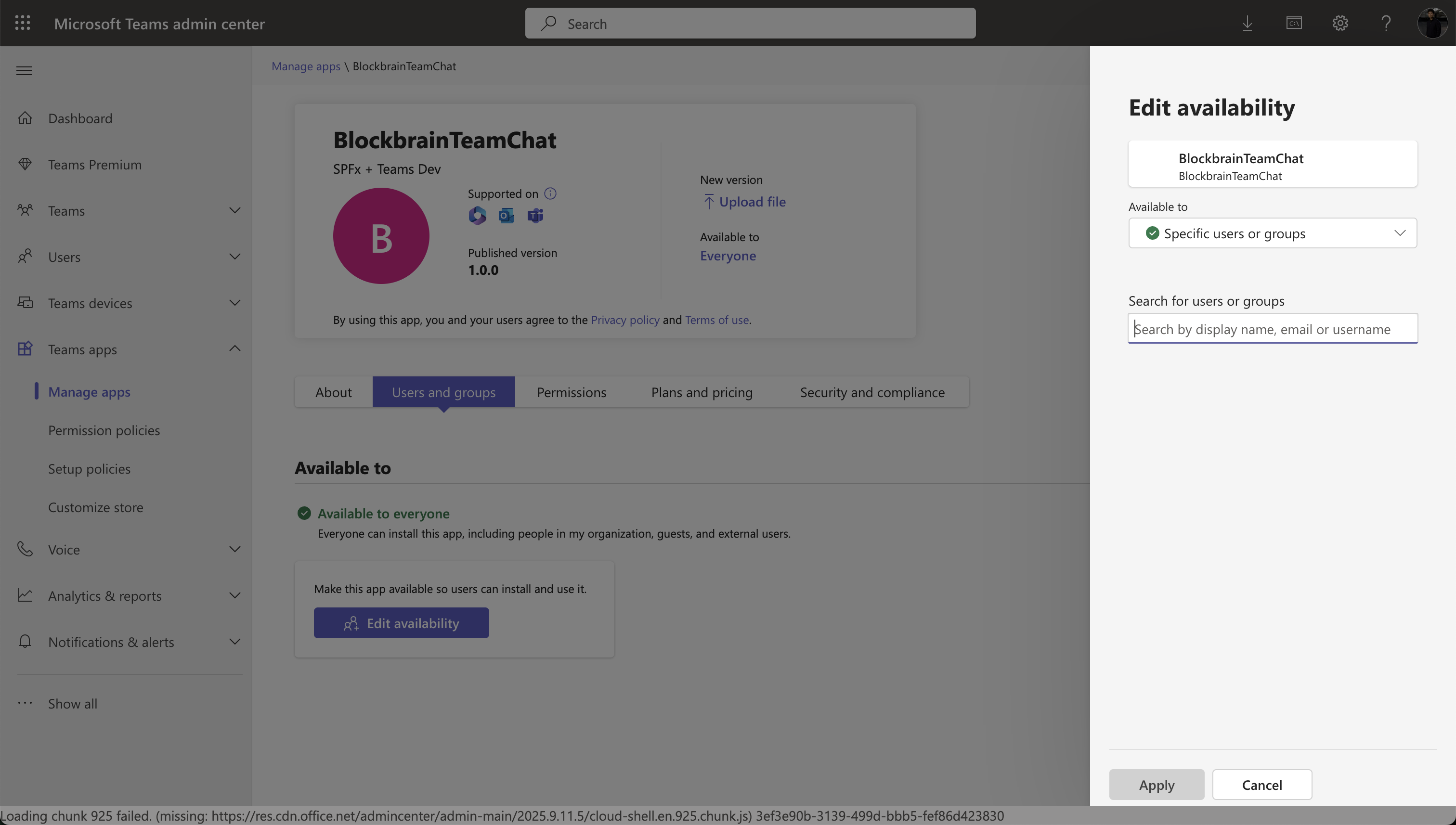
### **Step 6: Manage Permissions in Teams**
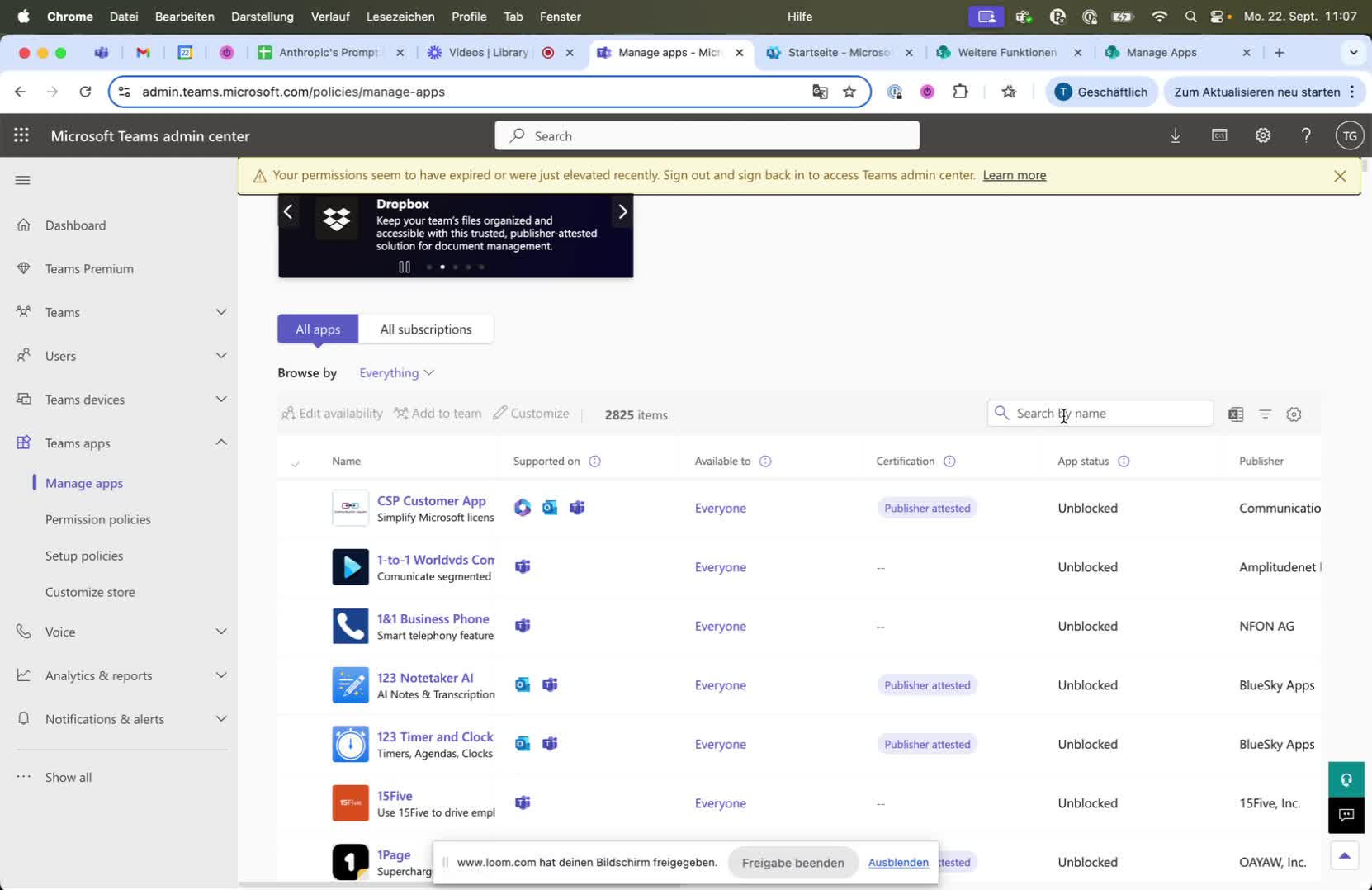
* As a Teams admin, search for the uploaded app in the 'Manage Apps' section.
* Limit access to specific user groups as needed.
{% hint style="warning" %}
Be aware of user permissions when limiting access to the app.
{% endhint %}
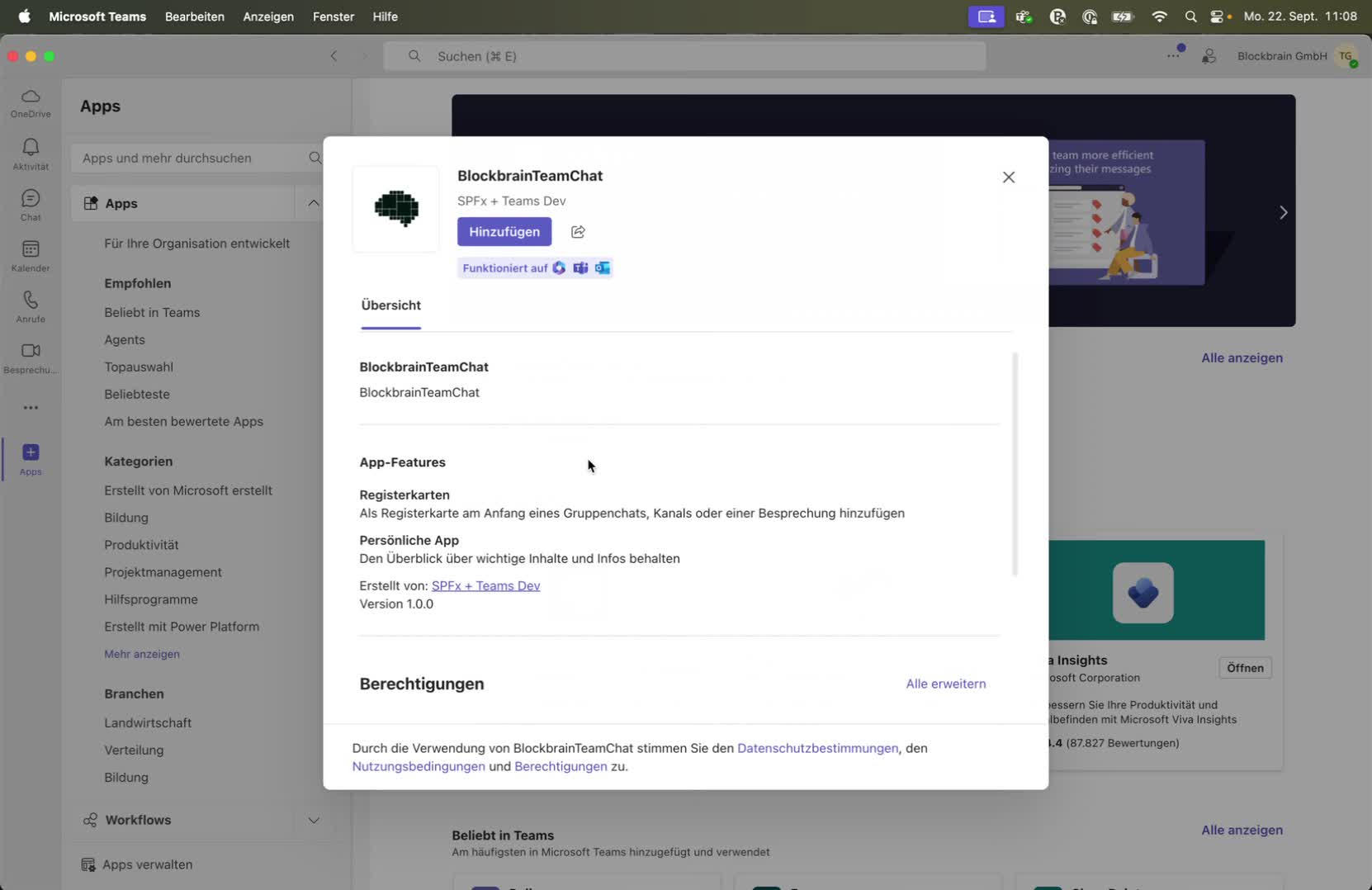
### **Step 7: Add App to Teams**
* Go to the Teams app and find the organizational apps.
* Edit the app settings to add it to the left pane or a specific channel.
## Sharepoint In-Page Webcomponent
### **Step 8: Create a New SharePoint Page**
* In SharePoint, create a new empty page to demonstrate the app's functionality.
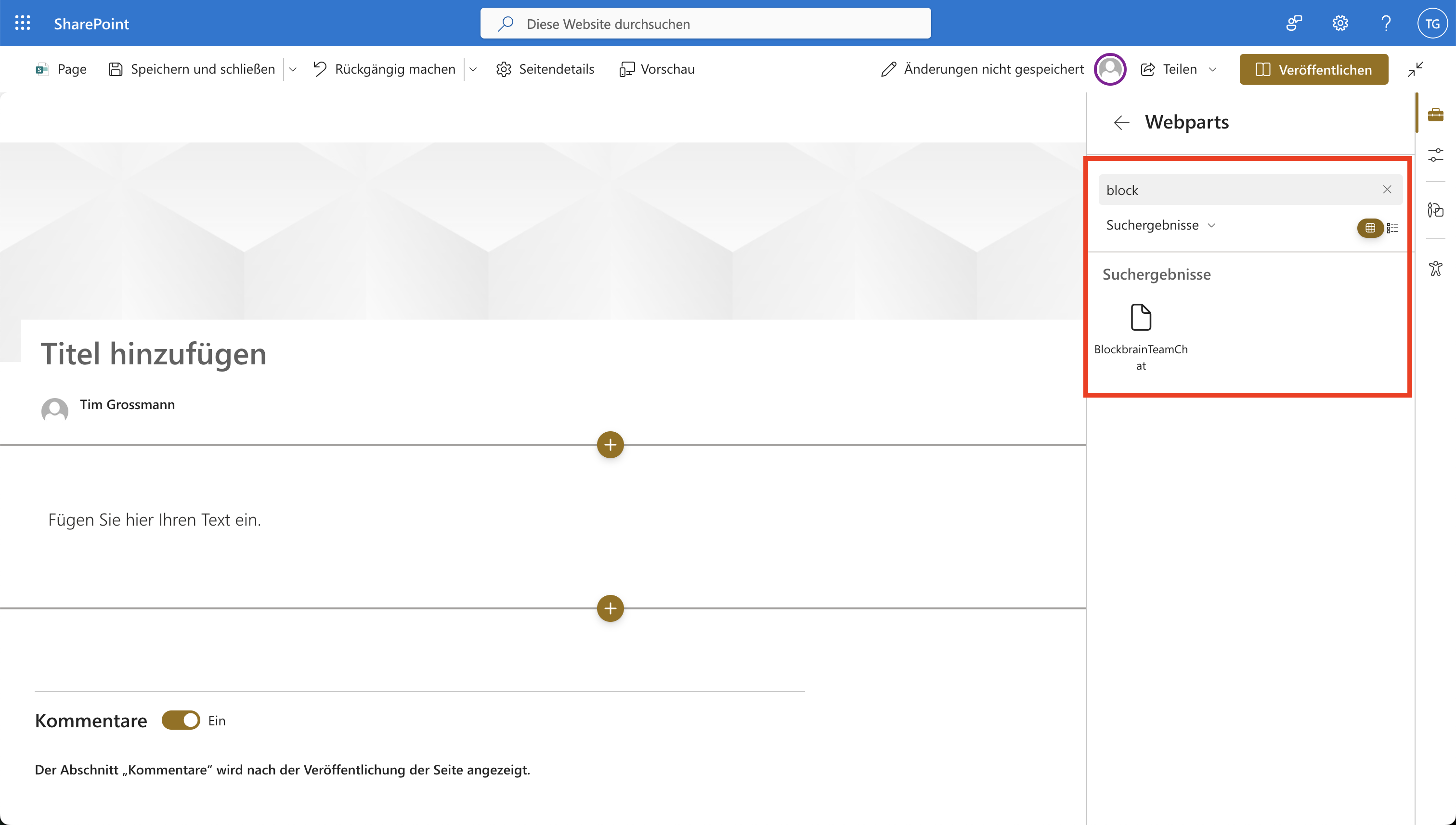
### **Step 9: Add App to SharePoint Page**
* In the web parts section, search for the uploaded app.
* Add the app to the specific SharePoint page.
### **Step 10: Configure App Settings**
* Adjust settings such as user login options and bot identifiers as necessary.
## Video
{% embed url="" %}