# Sharepoint Chat Extension
{% hint style="warning" %}
**Attention:** The Blockbrain Team will provide you with your specific Sharepoint package, please provide the following information to you Contact.
* Which bot do you want to integrate?
{% endhint %}
## Setup Steps
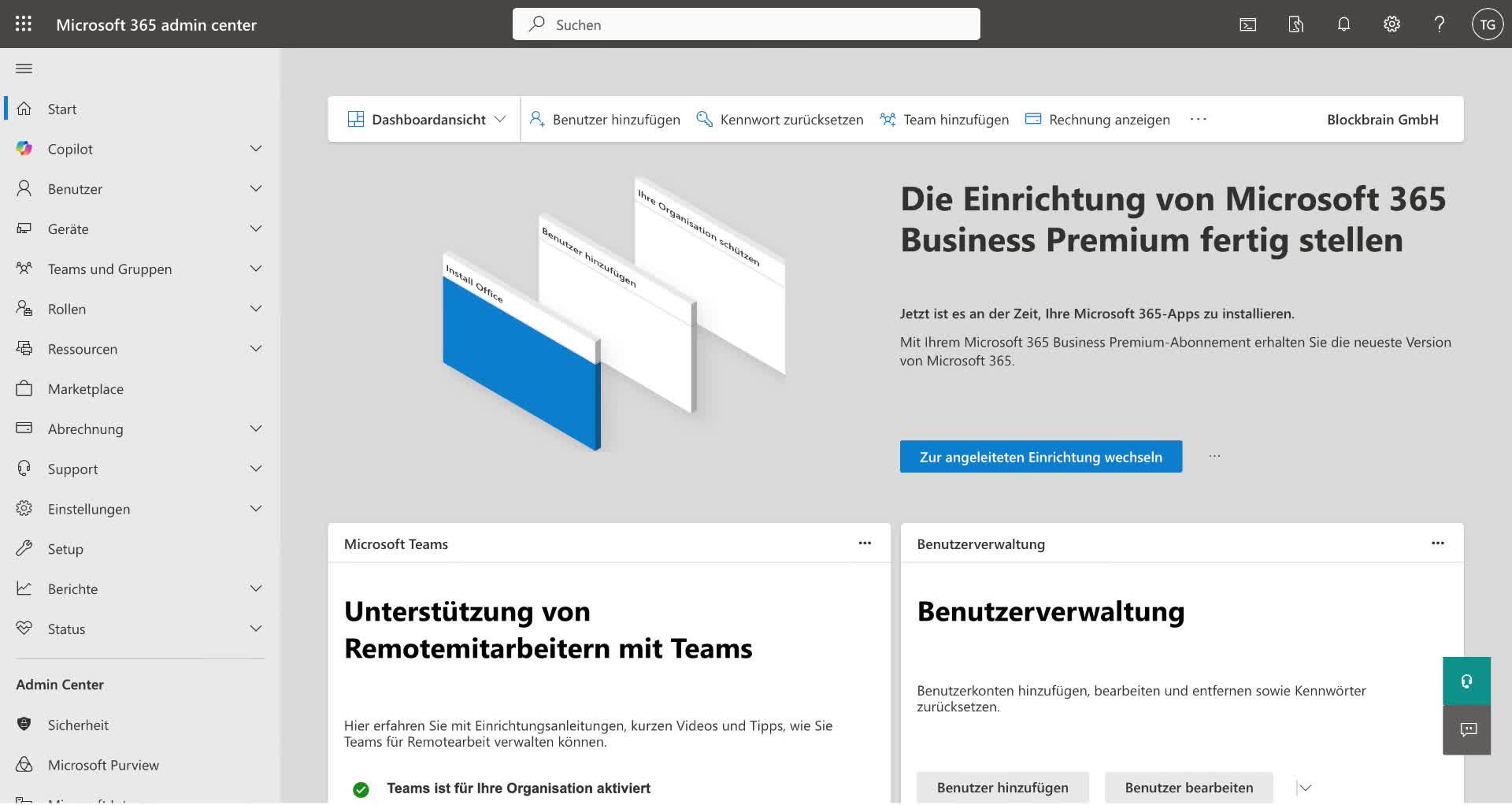
### **Step 1: Access SharePoint Admin Center**
* Navigate to the SharePoint Admin Center.
* Click on 'Additional Functionality'.
* Select 'Apps' from the SharePoint options.
### **Step 2: Upload the Extension File**
* Locate the 'Upload' button in the SharePoint apps section.
* Upload the extension file provided to you.
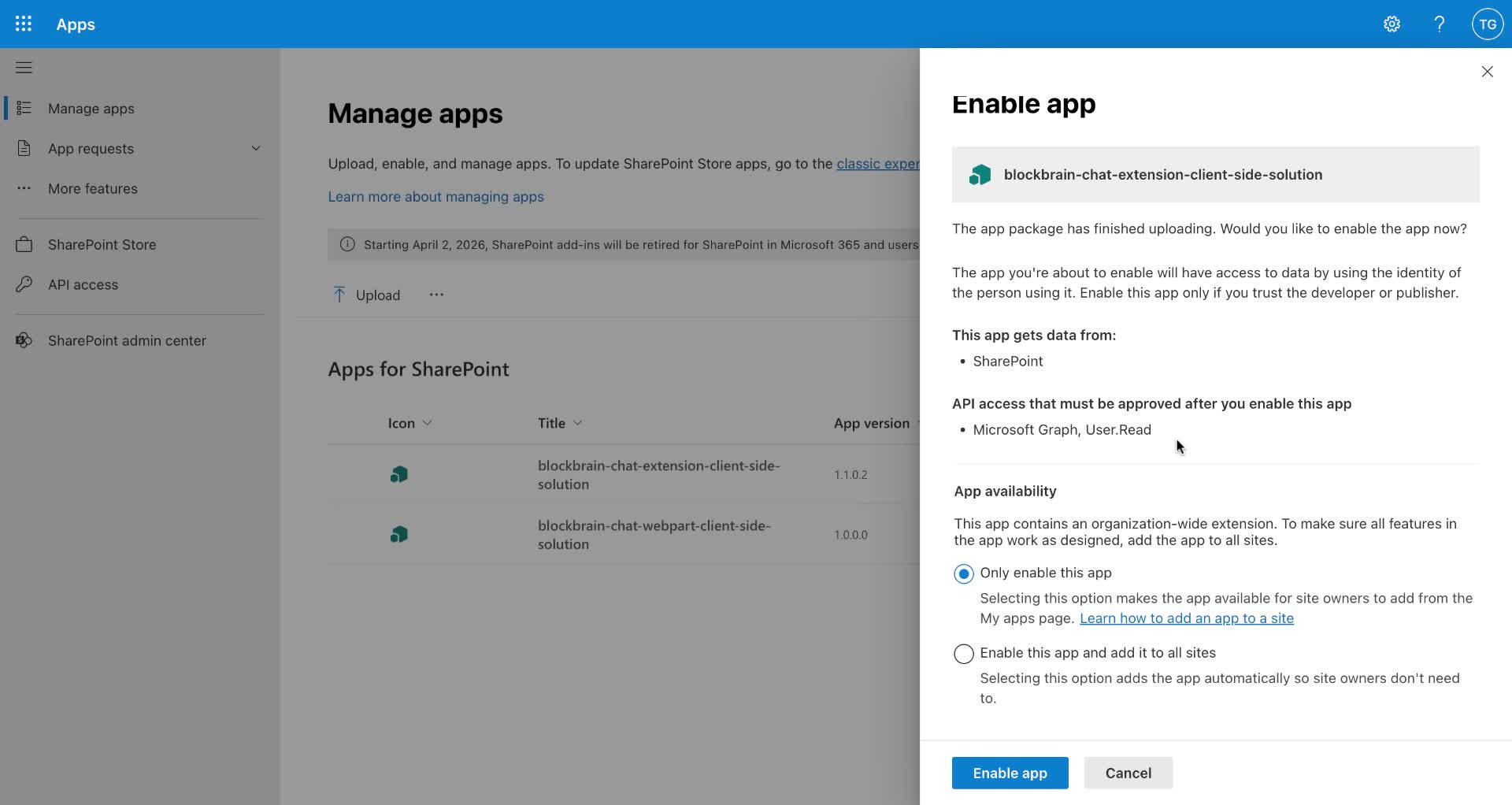
### **Step 3: Enable the App**
* After uploading, find the 'Enable App' section.
* Choose the option to 'Only enable this app' to restrict it to specific pages.
{% hint style="warning" %}
Ensure you select 'Only enable this app' to avoid it being added to all SharePoint sites.
{% endhint %}
### **Step 4: Activate API Access**
* Click to activate any API access requests that may appear.
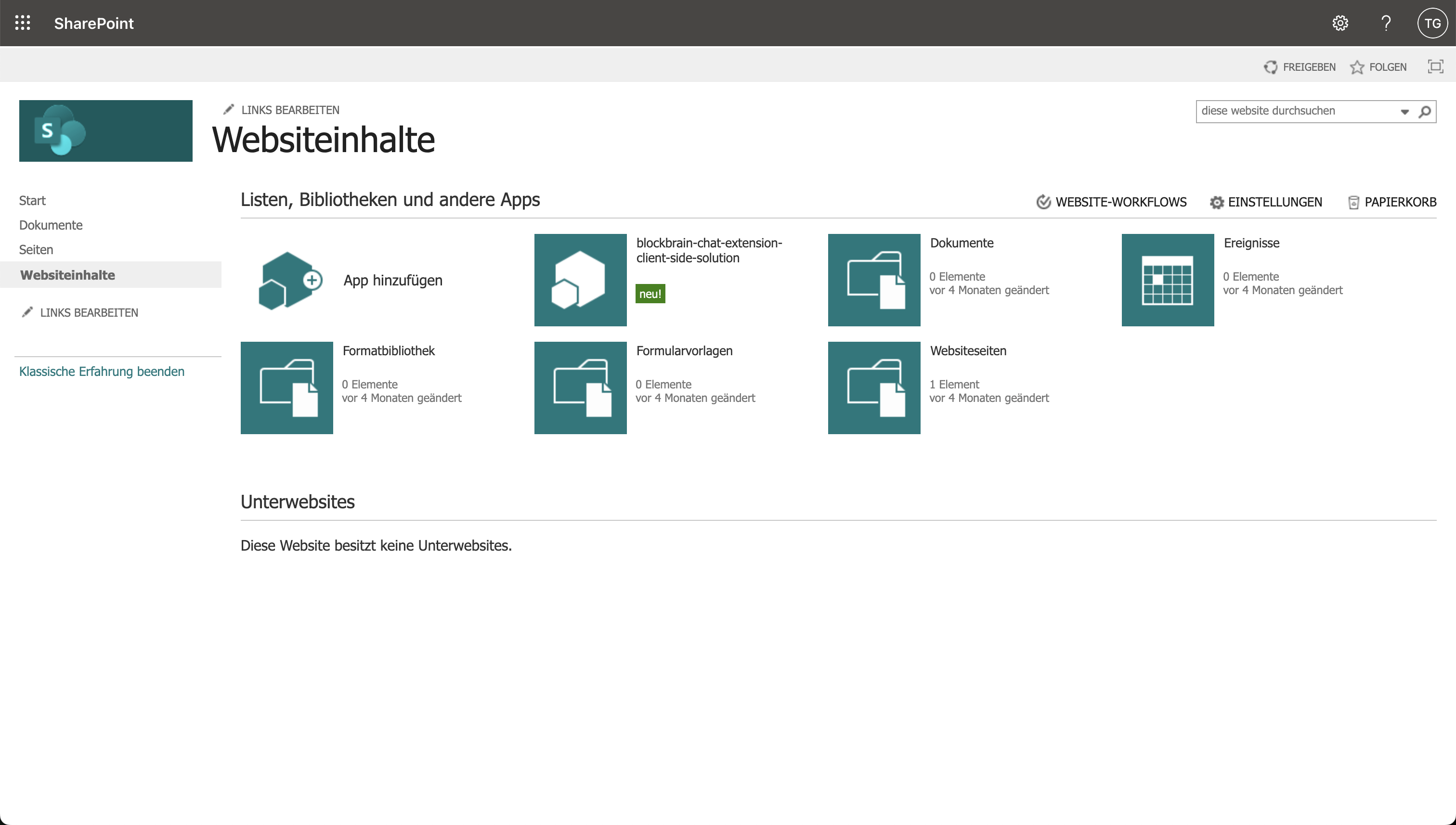
### **Step 5: Verify App Activation**
* Confirm that the SharePoint chat extension is enabled and ready for use.
### **Step 6: Add the App to a Specific Page**
* Navigate to the desired SharePoint page (e.g., Communication site).
* Click on the extension to view information and add it to the page.
{% hint style="warning" %}
Remember to activate the app for additional pages where you want it to appear.
{% endhint %}
### **Step 7: Confirm Addition of the App**
* Look for a notification indicating that the app has been successfully added to the page.
### **Step 8: Access the Chat Feature**
* Check the bottom right corner of the page for the company chat feature.
* Use the chat as needed.
### **Step 9 (Optional): Activate for Additional Pages**
* Repeat the process to activate the app for any additional SharePoint pages.
## **Deleting the extension**
* The extension is part of the website content, it can only be deleted from there.
## Video
{% embed url="" %}